
The AI step works on five records. Someone suggests running it across the whole CRM. Before you click enroll, count what you are asking it to do.
A workflow that reads every new inquiry once has a different usage pattern from one that rereads every open record whenever a property changes. Both can look perfectly reasonable in the editor. Only one may be reasonable for your budget.
Plan the volume, the repeat work, and the point at which someone should intervene. You can do that with a short worksheet before building anything elaborate.
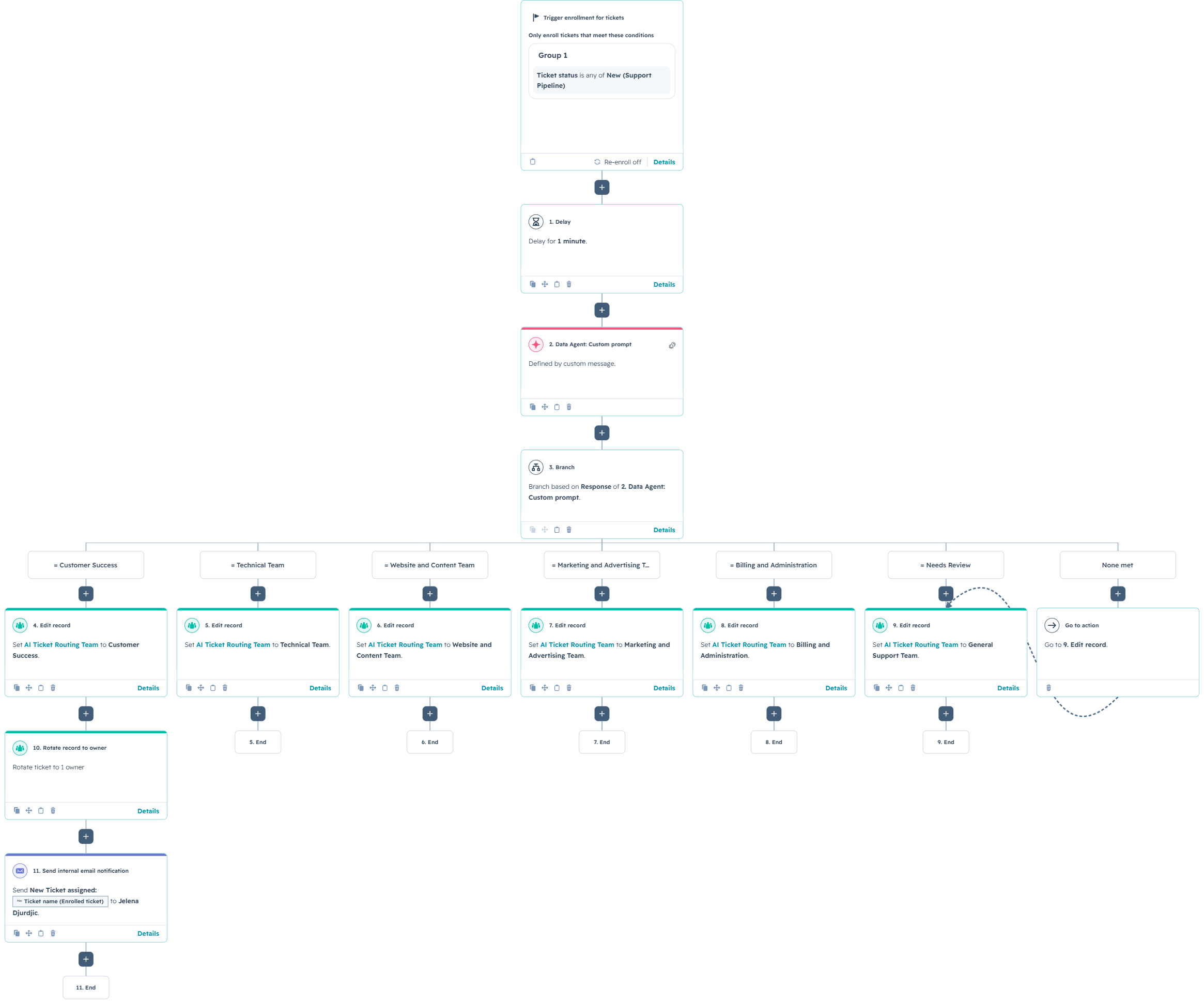
Start with the work that needs interpretation
Choose one business decision. Perhaps a support team needs to identify the subject of a free-text request. Write down what the AI reads, what it returns, and who uses that answer.
Check whether reliable structured data already answers the question. If the customer selected a clear request type on the form, a property-based branch may be enough. Save AI for the text that actually needs interpretation.
HubSpot's AI workflow action documentation, checked on October 27, 2026, describes Data Agent actions for analyzing and categorizing records. These actions require eligible subscriptions and HubSpot Credits. Check the specific action and your account's entitlement before designing around it.
Native features should be the starting point. Custom code introduces another system to maintain and does not make the underlying work disappear. First simplify the work itself.
Count action executions, not just contacts
Make a small inventory of the actions that consume credits. For each one, record the expected number of executions and the current rate applicable to your account. Include branches that only some records follow.
For a fixed-rate action, the planning calculation is straightforward: expected executions multiplied by credits per execution. Add the estimates for each metered action. If an action uses variable pricing, use its documented estimate or a measured range instead.
Consider a hypothetical workflow with 400 eligible records per month. Every record reaches one AI step. A quarter of those records reaches a second AI step. That is 500 planned AI executions, before any repeats or testing. If each record runs through the same path twice, the count becomes 1,000.
Those are example volumes, not HubSpot prices or customer results. Substitute your own record counts and verified rates. Also include any other metered actions under your plan. A workflow diagram does not double as a rate card.
- New work: Records expected to arrive during the usage period.
- Repeat work: Records expected to need another analysis after a meaningful change.
- Historical work: Existing records selected for a one-time cleanup.
- Testing: Executions used to compare prompts, investigate failures, and validate changes.
Give re-enrollment a business reason
Decide what makes an old answer stale. A new customer message may justify another analysis. An owner change usually does not change what the customer wrote.
Define the reprocessing policy before configuring enrollment. Record which source was analyzed, when it was analyzed, and which prompt version produced the result. These are proposed tracking fields for your process, not a promise that HubSpot creates them automatically.
Make the policy concrete: analyze a new inquiry once, then analyze it again only when the relevant source text changes or an authorized reviewer requests another pass. Check how your workflow conditions implement that policy.
Test an unrelated property update, a meaningful source change, and a manual request to rerun. Confirm that the record reaches the AI step only in the intended cases. Otherwise, your CRM can spend a very productive afternoon rereading the same paragraph.
Separate the backlog from everyday work
Treat historical cleanup as its own project. A database accumulated over several years can dwarf the normal monthly arrival rate. Combining the two hides the size of the initial job.
Start with the records whose answers will change a current decision. Open opportunities or unresolved requests may deserve attention before closed records nobody plans to use.
Divide the selected backlog into batches with an owner, a planned volume, and a review point. After the first batch, compare the estimate with observed usage and useful output. Adjust the next batch before releasing it.
Keep capacity available for ongoing operations. A historical classification exercise should not consume the allowance that another team expects to use for current customer work.
Check what happens at the credit limit
Read your actual account settings alongside HubSpot's credit management guidance. As checked on October 27, 2026, credits reset by usage period and unused credits do not roll over. Additional-credit purchases and overage settings affect what happens when the allowance runs out. Do not assume every account has the same billing behavior.
Have the billing owner confirm the reset date, current allowance, overage setting, and spend limit before a large enrollment. Agree who can authorize additional spending and who can pause nonessential work. Keep that decision separate from the person improving the prompt.
Plan the operational fallback too. HubSpot documents that insufficient credits can make the Data Agent Custom prompt action fail with null output. An empty result needs a deliberate handling path, such as a manual work queue. It should not quietly become a valid classification.
Measure useful answers alongside usage
A lower credit total is not enough to declare success. Compare the work completed with the effort required to check and correct it.
Our guide to reviewing AI classifications in HubSpot explains how to separate a suggestion from an accepted value. Use that distinction when measuring results: an action finishing is different from a person having an answer they can use.
- Usage: Planned executions, observed consumption, and unexpected repeats.
- Quality: Accepted answers, corrections, and records needing more information.
- Effort: Time spent reviewing output and fixing mistakes.
- Outcome: Whether the answer helped the team complete the intended task.
Review these together after the pilot and after significant changes. If most corrections come from one kind of record, fix that input or narrow the scope before expanding. Buying more capacity will not improve an unclear category definition.
Expand a workflow you can explain
Before enrolling the next batch, be able to explain why those records qualify, how often they should run, what the estimated usage covers, and what happens when the work cannot finish.
Want help scoping your first AI workflow or checking one that has grown too broad? Schedule a conversation with No Bounds Digital. We can help identify the native features that fit and the work worth automating.